Nexus Forge: A modular editor plugin for dialogues, quests, items and more! Headless, free & open source
A downloadable plugin
Nexus Forge: A modular editor plugin for dialogues, quests, items and more! Headless, free & open source
Hi everyone! I've just released the open beta of Nexus Forge, a suite of easy-to-use edtior tools to create & manage different game resources such as dialogues, characters, items, quests and more. The whole system is headless and data is handled through signals. This means that Nexus Forge doesn’t enforce the use of an UI.
I built this because even though there are some amazing plugins out there, a lot of them force you to use their own scenes to display data. And often are difficult to customise, or they come bloated with nodes you’ll never end up using. So the core idea of this plugin is; Nexus Forge will process the resources and hand you the raw data you need. You decide how to display it.
With the tools you can:
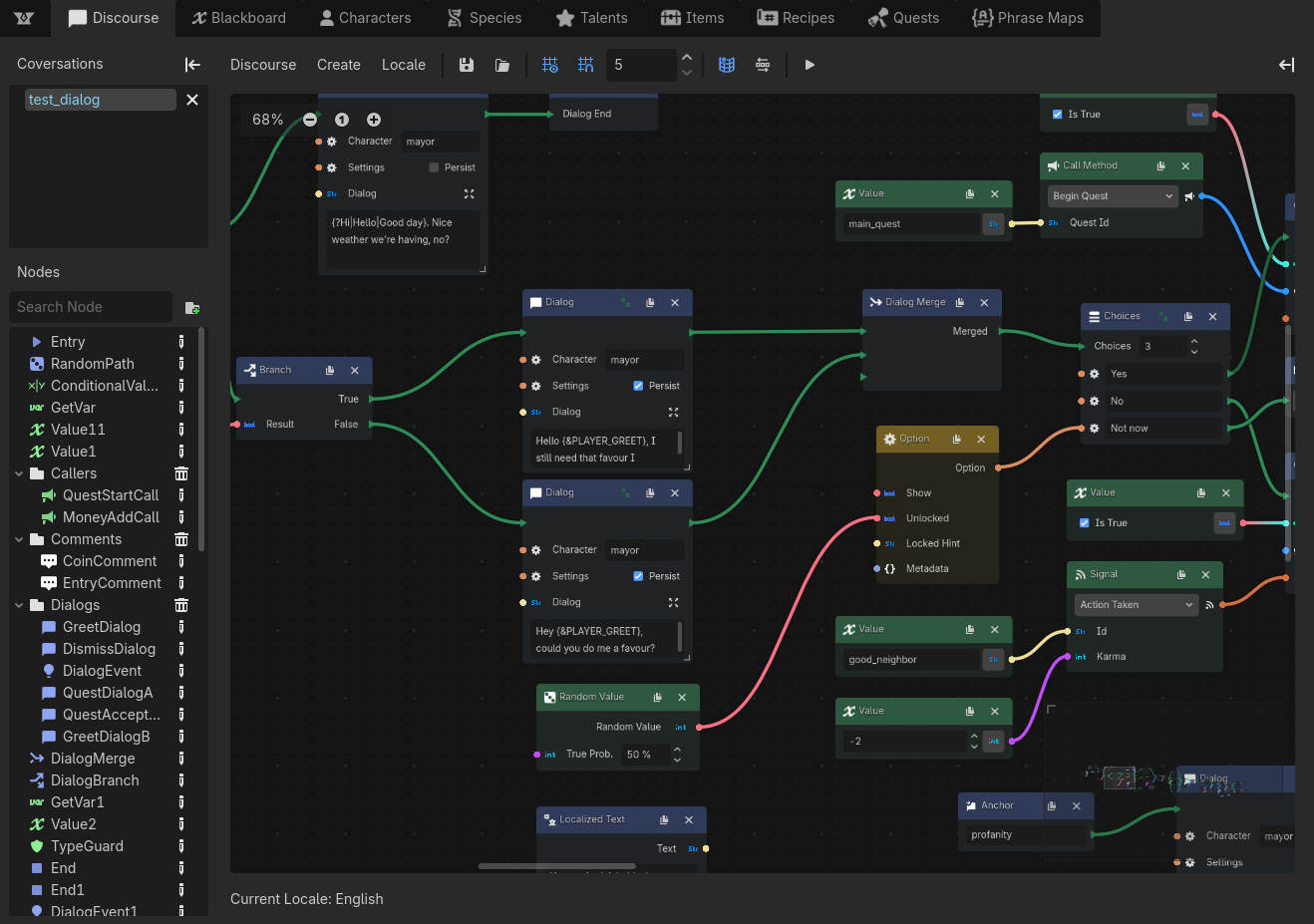
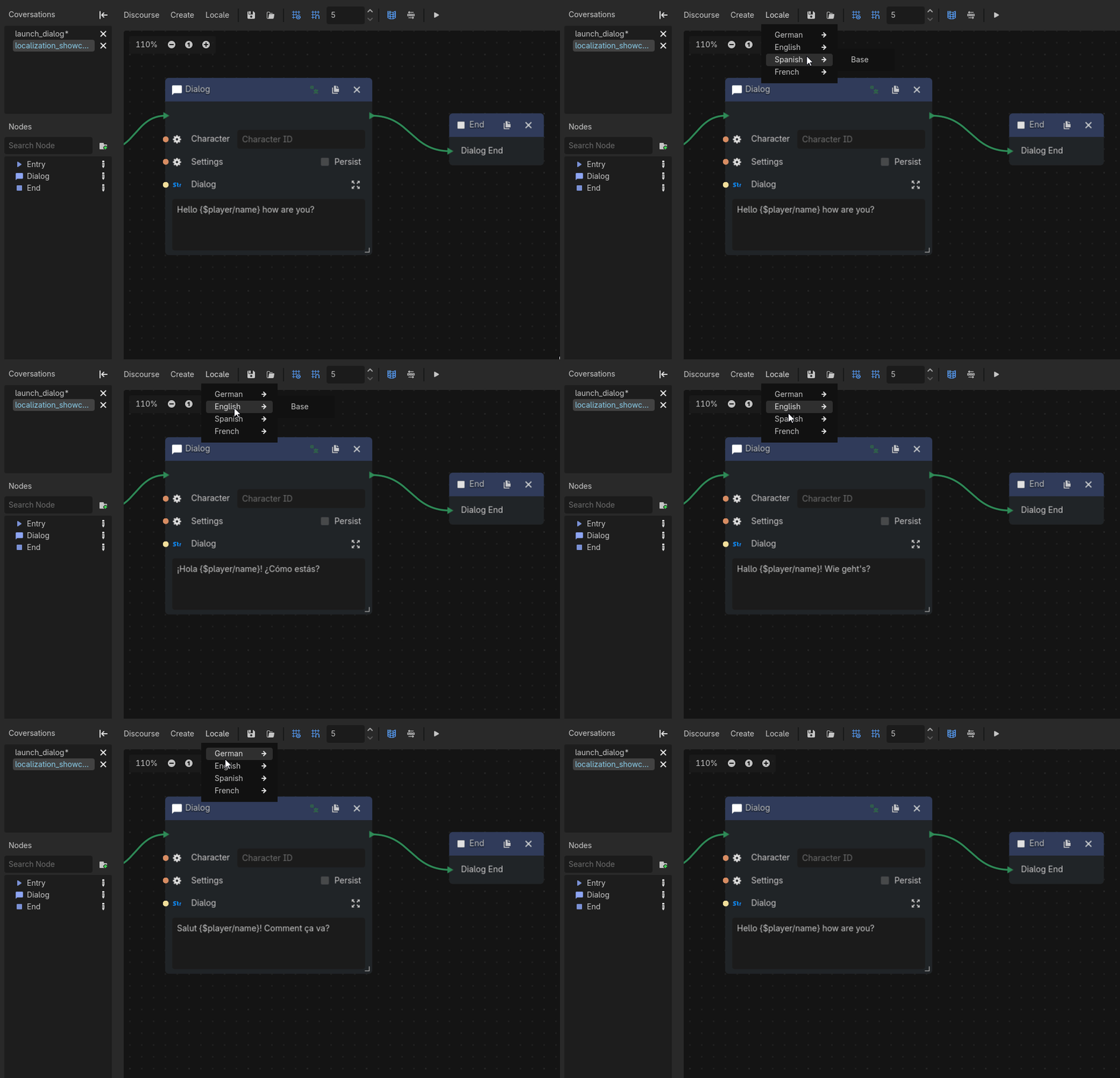
- Create complex dialogues through a graph-based visual editor. With a big range of nodes like choices, random & conditional branching, events, basic data operations, and more.
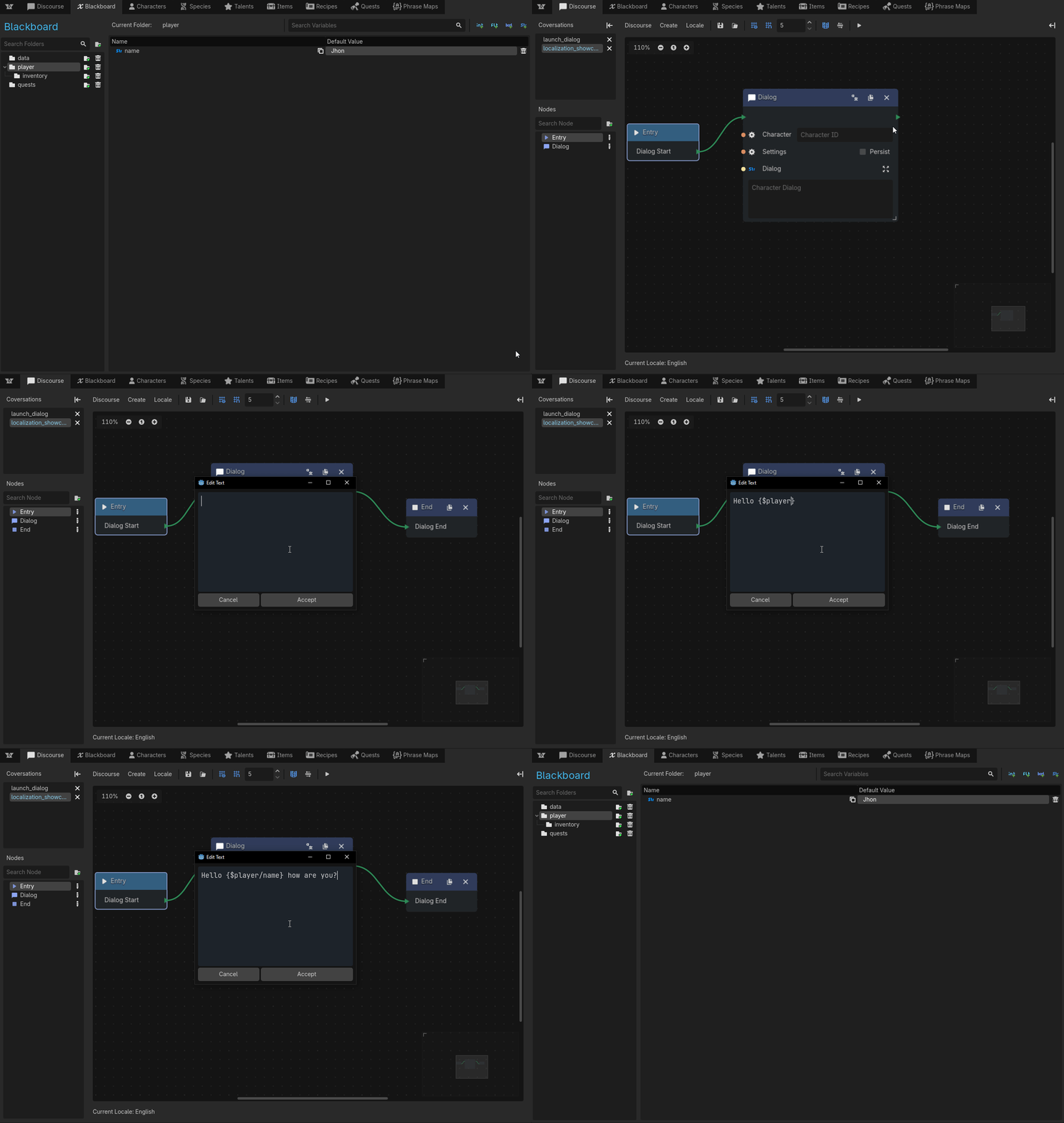
- Use your own scenes to test and live-preview your dialogues. Discourse allows you to set up your own scenes through Project Settings. If you need help setting it up check out the wiki on how to set up a test scene and how to set up the live preview.
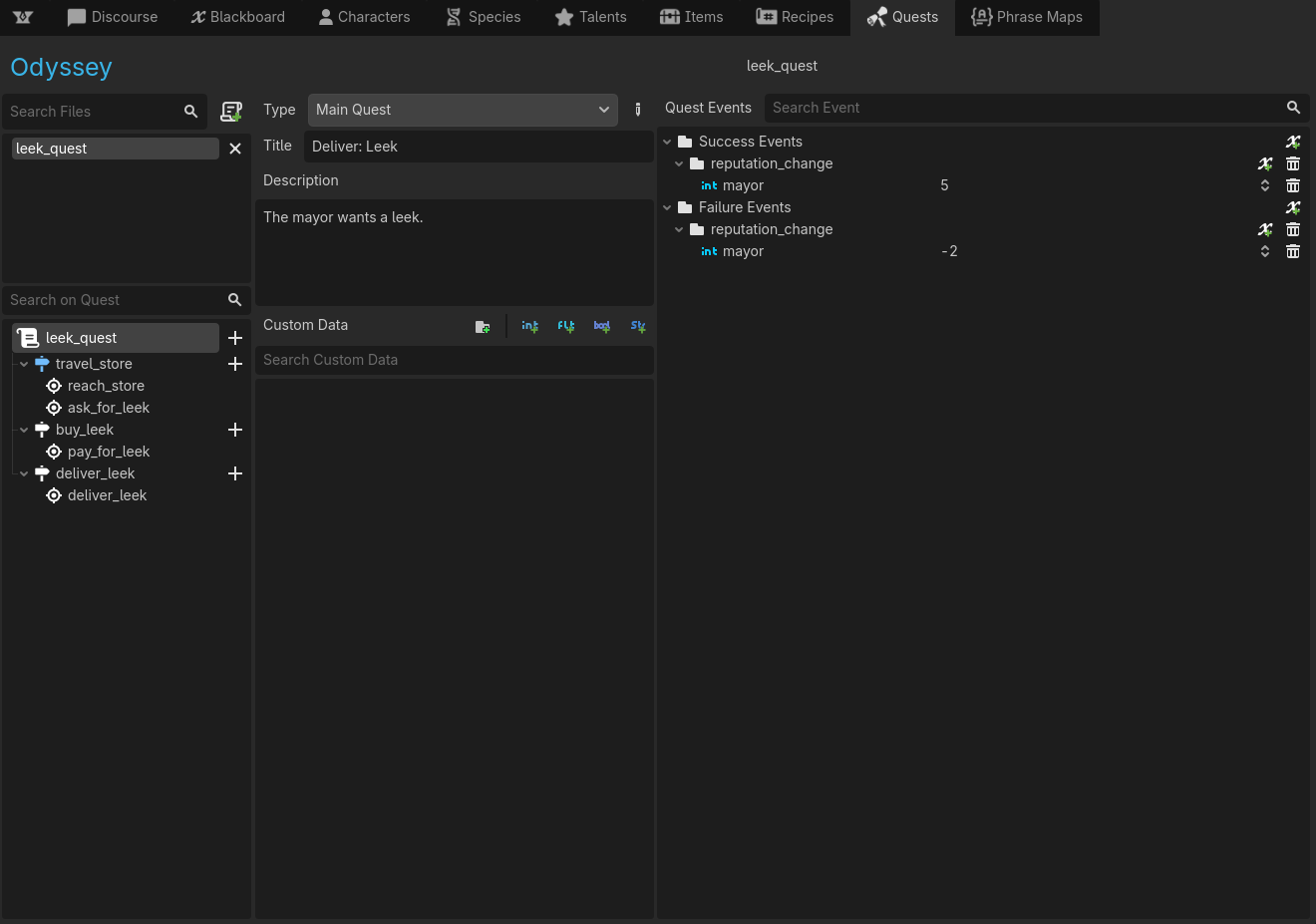
- Create quests with stages and objectives and let Nexus Forge track the progression. The module can automatically progress a quest if your player completes a stage’s objectives and move to follow-up stages based on success or failure of the previous one.
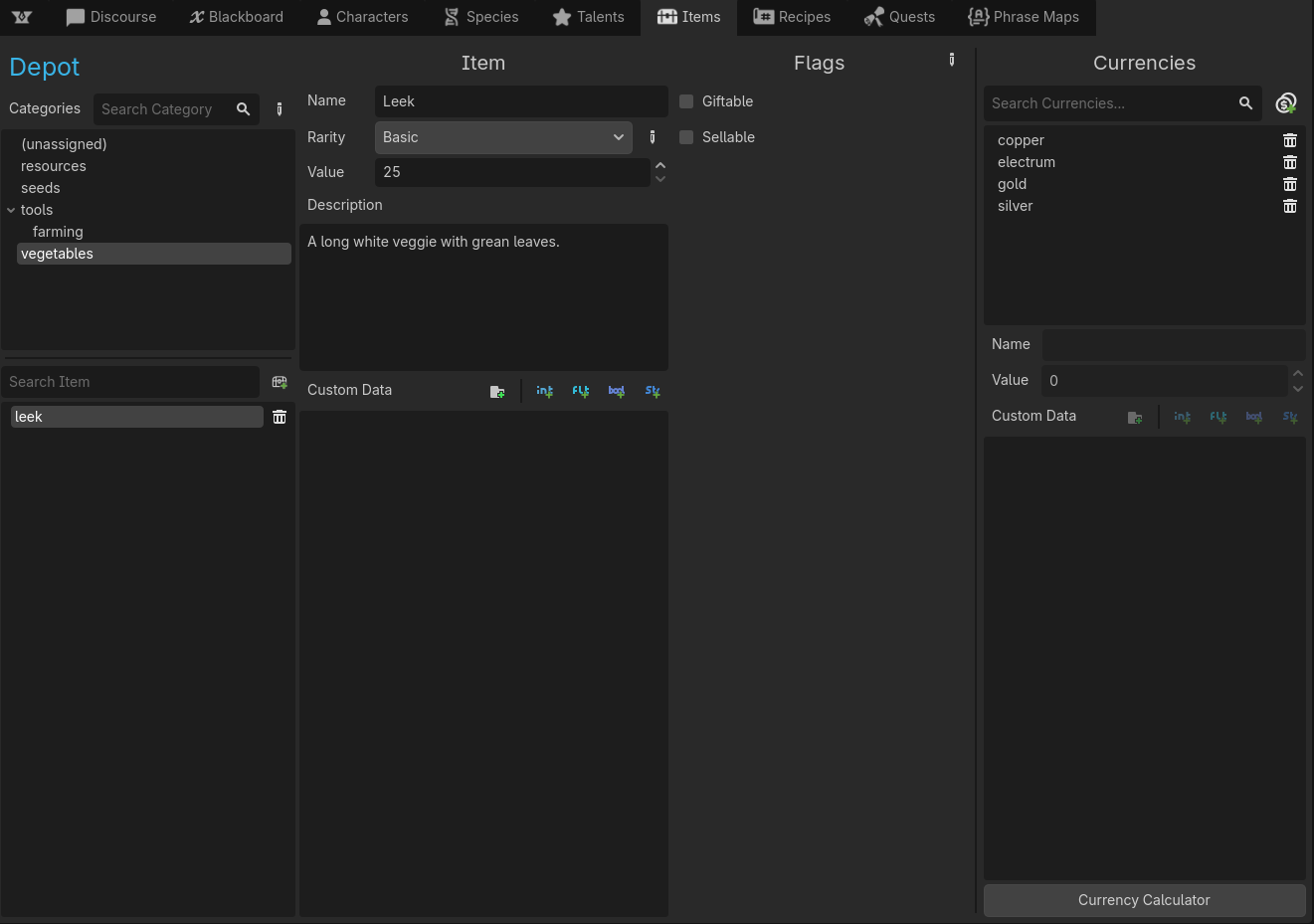
- Create items & item categories, assigning them rarity, values, descriptions and custom data. The module integrates with the currency system if you wish to create a multi-currency economy for which some methods & objects are provided to handle the calculations.
- Mod almost everything. Each module comes with an API to access and modify most of the data, opening the door to mods.
- And much more.
Modularity & Customisability
If your project won’t use a module, you can disable it from Project Settings and its editor GUI won’t be displayed. It also provides some customisability on how the plugin will work and if you want to instantiate or not the objects of modules you’ve disabled in-game.
Documentation
Most of the modules, objects and resources are fully documented using the in-engine documentation (F1).
There is also a more detailed documentation in the GitHub’s wiki.
Note: Right now, the GitHub’s documentation is a bit outdated and was generated with the assistance of a AI (It’s so much work, please have some patience). An update and complete rewrite are planned now that the beta is released.
—
A lot of effort has been put into this plugin and I would love to hear your feedback and opinions.
You can also get the latest version from the GitHub page.
Download
Install instructions
Open the ZIP file and go inside nexus-forge-(version) → addons and extract the nexus_forge folder inside your Godot's addon's (res://addons) folder.
Go into (Project → Project Settings → Plugins) and enable Nexus Forge
Reload your project (Project → Reload current project) to ensure everything is working properly
Leave a comment
Log in with itch.io to leave a comment.